Delta Executor APK v2.739 Download: Roblox Script Executor for Android
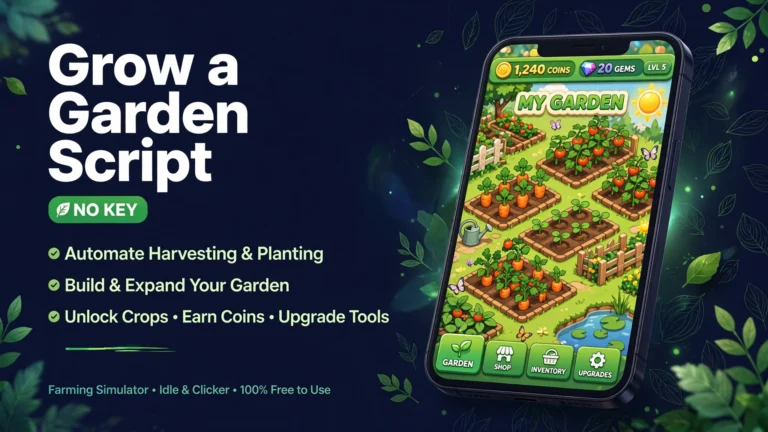
Searching for delta executor apk usually means one thing: you want to run Roblox scripts on your Android phone. Delta Executor is a free Roblox script executor for Android (also on iOS, Mac, and Windows via emulator) that runs custom Lua scripts inside Roblox games. Think auto farming in Blox Fruits, auto planting in Grow a Garden, ESP vision in Murder Mystery 2, and one tap teleport across big open world maps.
The catch: Delta is not a simple install and play app. It has a 24 hour key system, it breaks for a few days after every Roblox update, and some download sites host fake files. This guide covers what Delta does, how to get the Delta key, how to fix it when it stops working, and the real risks to your Roblox account.
Quick Answer: Delta Executor v2.739 is a Roblox script executor for Android that runs custom Lua scripts inside Roblox games. The file on this page is about 163 MB and asks for a fresh key every day. This article covers its main features, the key process, install steps and the account ban risks to know first.
What Is Delta Executor?
Delta Executor is a third party Roblox script executor for Android: a modified Roblox client that adds a panel where you can run small programs called Lua scripts while a game is running. Those scripts do the boring work for you: farming resources overnight, collecting items, completing quests, or moving your character somewhere instantly.
Delta is known for two things: it runs at execution Level 8, the highest level, so almost every community made script works on it; and it ships with a built in Script Hub of ready made scripts sorted by game, so beginners do not have to hunt for scripts on forums. It is completely free, funded by the ads shown during the daily key process. One important clarification: Delta is not made by Roblox, and running scripts through it breaks the Roblox Terms of Service. What that means for your account is covered in the safety section below.
Key Features of Delta Executor
- Lua script execution: run community Lua scripts inside any Roblox game, with a built in editor and console to paste, save, and organise scripts.
- Built in script hub: a curated library of ready to use scripts for popular games like Grow a Garden, Blox Fruits, Fisch, 99 Nights in the Forest, and Steal a Brainrot.
- 24 hour key system: a free daily key unlocks all features. Renew it once every 24 hours by completing a few short steps in your browser, taking about two minutes.
- Anti detection layers: a shadow bypass layer that adapts to Roblox client updates to reduce the chance of the executor itself being flagged.
- Cross platform: the same key works on Android, iOS (Direct Install), Mac, and Windows via an Android emulator.
- Lightweight and fast: optimised for phones with 4 GB of RAM, with a redesigned dark mode interface and quick access toolbar.
How to Get the Delta Key
The Delta key confuses every new user. It is a free verification code you need before Delta lets you run scripts. It expires every 24 hours, and there is no legitimate way to skip it. Any site promising a keyless Delta for the current version is fake or dangerously outdated. Here is the real process:
- Open Delta Executor and tap Get Key. This opens the key system page in your browser.
- On the welcome screen, tap Continue. You will be taken through a short series of checkpoints, usually hosted on Linkvertise.
- Complete the checkpoints as instructed. Rushing a step is the most common reason the key never appears.
- When done, your key is generated. Copy it, return to Delta, paste it into the key box, and tap Continue. The executor unlocks for 24 hours.
Important: complete the key steps in a real browser (Chrome or your default browser), not inside an app webview or the Roblox in game browser, where key failures are most common. If a checkpoint loops forever, close everything and restart from a fresh Get Key tap.
How to Download and Install Delta Executor
- Open the Delta Executor Android download page linked above and download the APK for version v2.739 (around ~163 MB).
- Allow installation from unknown sources: Settings, then Security or Privacy, then enable Install Unknown Apps for your browser. For a refresher on sideloading APKs safely, see our guide on how to install a Mod APK.
- When the download finishes, open your Downloads folder, tap the file (usually delta.apk), then tap Install.
- Launch Delta Executor and complete the key steps described above.
- With the key accepted, launch Roblox from inside Delta, open any game, and tap the Delta icon on screen to open the executor panel.
- Pick a script from the Script Hub or paste your own Lua script, then tap Execute. The script starts running in your game session.
Delta takes a while to load the first time, which is normal. Update both Roblox and Delta to their latest versions before installing, because mismatched versions are the biggest cause of crashes.
Delta Executor Not Working? Fixes That Actually Help
Delta breaks regularly, usually right after Roblox pushes a client update. Almost every common error has a simple fix.
Crashes right after a Roblox update. Roblox updates its client almost weekly, and old Delta builds cannot inject into the new client. Wait for the Delta team to release a patched build (usually within 5 to 7 days), then install the new version over the old one.
Key expired. Keys last exactly 24 hours. Do not reinstall anything; tap Get Key, complete the steps in a real browser, paste the fresh key, and continue.
App not installed or package appears invalid. Delete the APK, clear your browser cache, and download again. A partially downloaded file is the usual cause.
Scripts do not run. Scripts often break when the game itself updates, not Delta. Check the Script Hub for an updated version of the script; old forum scripts rarely work in newly patched games.
Key steps loop forever. Close Delta completely, restart your phone, and redo the key process in a real browser like Chrome. Ad blockers and in app browsers can break the checkpoint pages.
Pros and Cons
Pros
- Completely free with no subscription or locked features.
- Level 8 execution runs nearly every community script.
- Built in Script Hub saves beginners from hunting scripts on forums.
- Works on Android, iOS, Mac, and Windows through an emulator.
- Frequent updates that usually follow Roblox patches within days.
Cons
- Key system must be renewed every 24 hours.
- Breaks for a few days after every Roblox client update.
- Account ban risk is real: scripts violate the Roblox Terms of Service.
- Windows has no native build; you need an Android emulator.
- Fake download sites are everywhere and often bundle malware.
Delta Executor vs Other Executors
| Executor | Execution Level | Script Hub | iOS Support | Price |
| Delta Executor | Level 8 | Yes, 500+ scripts | Yes, Direct Install | Free with key |
| Arceus X | Level 8 | Partial | Limited | Free with key |
| Fluxus | Level 7 | No | No | Free with key |
| Hydrogen | Level 6 | No | No | Free with key |
| Xeno | Level 8 | No | No | Free, keyless, Windows only |
Delta wins for mobile users who want everything in one app: execution, script library, and multi platform support. Whatever you choose, treat the executor as replaceable and your Roblox account as the thing worth protecting.
Is Delta Executor Safe?
For your phone, the real Delta file from its official source does not contain malware; antivirus flags are false positives caused by how executors work. The real danger comes from fake download sites that repackage the file with malware, so where you download from matters more than the app itself. For a broader look at modified APK risks, read our guides on whether Mod APKs are safe and what a Mod APK actually is.
For your Roblox account, the risk is real and cannot be removed: script executors violate the Roblox Terms of Service, and bans happen even to careful users. Practical rules: never run scripts on your main account, use a secondary account for all scripting, and avoid speed and PvP hacks, the highest risk category.
FAQs
Is Delta Executor free?
Yes. Delta Executor is free to download and use, with no subscription or locked features. It is funded by the ads shown during the daily key process, which takes about two minutes every 24 hours.
Why does Delta Executor ask for a key every day?
The key is a verification token that expires every 24 hours. It funds the project through ad supported checkpoints and limits abuse. There is no legitimate keyless version of the current build; sites claiming one are fake or outdated.
Will Delta Executor get my Roblox account banned?
It can. Roblox bans accounts for running automation scripts, and no executor is undetectable at the script level. Only run scripts on a secondary account and avoid aggressive scripts in competitive games.
Delta Executor stopped working after a Roblox update. What do I do?
Wait for a Delta update and install the new build. Roblox client updates break injection for a few days each time, and the Delta team usually ships a patched version within 5 to 7 days. Reinstalling the same old version will not fix it.
Can I use Delta Executor on iPhone or PC?
Yes. Delta supports iOS through a Direct Install method without a computer, and Windows PCs can run it inside an Android emulator such as BlueStacks or MuMuPlayer. There is also a Mac build.
Related Articles
- Sportzfy Mod APK v32.0 (Premium Unlocked), Download for Android
- Castle Mod APK v2.1.1 (Premium Unlocked), Download for Android
- What Is a Mod APK? Complete Guide for Beginners (2026)
Disclaimer: Delta Executor is a third party tool not affiliated with Roblox Corporation. Script executors violate the Roblox Terms of Service and may result in account warnings, temporary suspension, or permanent bans. Downloading modified APKs carries security risks; always scan files and download only from sources you trust. This article is for informational purposes only.
Can Delta Executor get my Roblox account banned?
Yes, it can. Scripting breaks Roblox rules, and bans happen even to careful users. Use a secondary account for scripts and never run them on an account you cannot afford to lose.
Conclusion
If the full unlocked experience is what you were looking for, Delta Executor Mod APK v2.739 delivers it in one simple package. The version, size and features in the table above match the file behind the download button, which was tested before this page went live. Follow the step by step install guide if you need help with setup, and keep our safety checklist in mind for this and every future mod you install.
Key Points
- Delta Executor runs custom Lua scripts inside Roblox games on Android.
- It asks for a fresh key every day, and the key process takes about two minutes.
- Scripting can get an account banned, so use a secondary Roblox account, never your main one.
- Read our mod APK safety guide before installing, and follow the install guide if you get stuck.


8 Comments