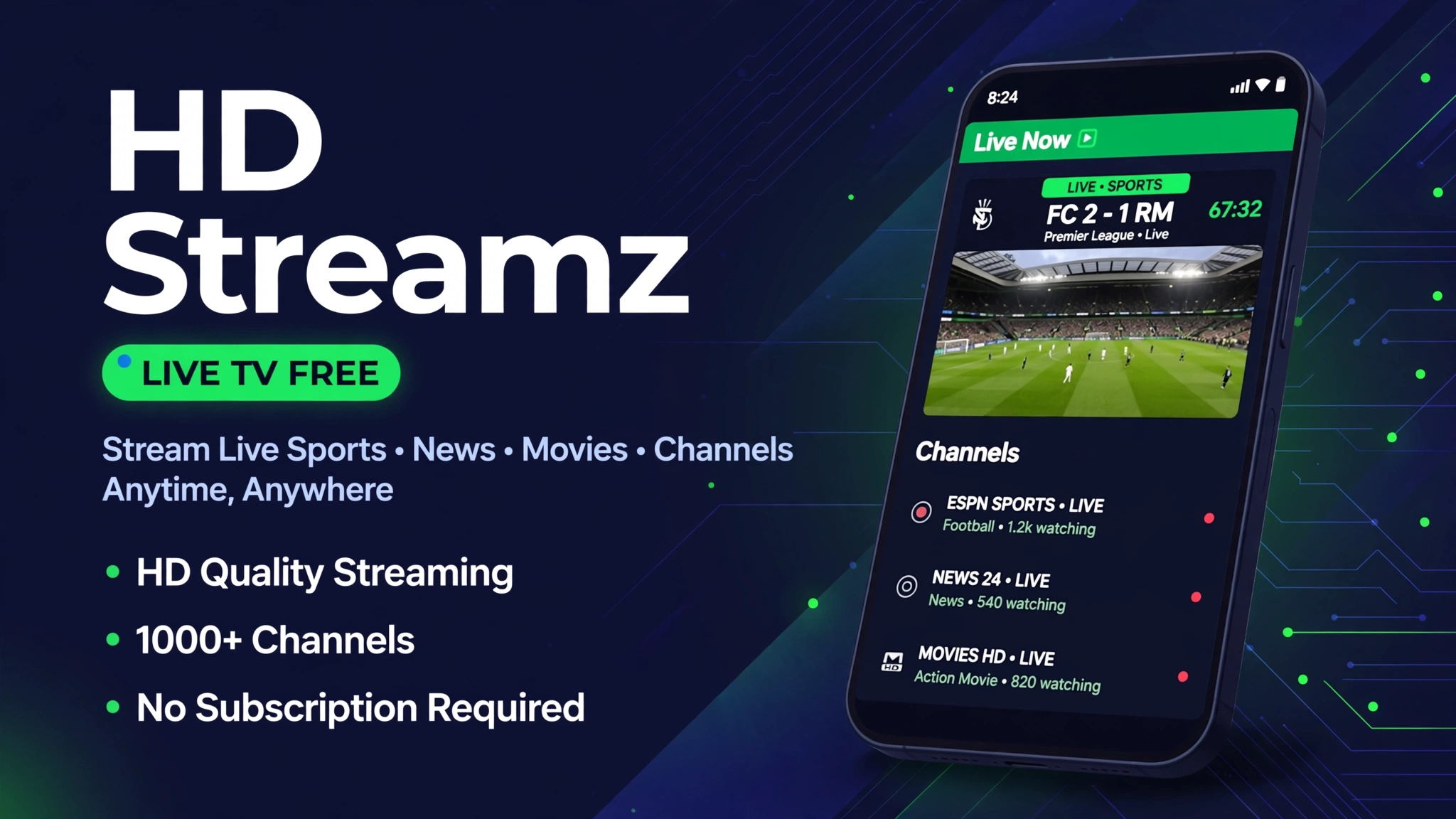
HD Streamz APK Download v3.19: Free Live TV and Sports on Android
Live TV is split across paid bundles, and each bundle misses the channels you actually watch. HD Streamz promises hundreds of channels from many countries in one free app.
The catch is the version chaos. Sites list v3.10.1, v3.11.0, v3.15 and v3.19 at once, with sizes from 15.8 MB to 21 MB and no single download channel.
This HD Streamz APK download guide tracks the freshest widely listed build and explains the channel switching habit that makes the app usable.
Quick Answer
HD Streamz APK download v3.19 is the tracked build in this guide. The app needs Android 5.0 or above and the listed file size is 20.8 MB. It brings live TV channels, live sports and radio from many countries into one free app with no account. Tap Download Now, wait for the 10 second timer, and follow the install steps.
What Is This App
HD Streamz is a free live TV app for Android. It gathers live TV channels, sports, news, movies, music and radio stations from many countries in one simple app.
The app is not on the Play Store, and its community builds make version tracking messy. Sites list v3.10.1, v3.11.0, v3.15 and v3.19 at the same time, with sizes from 15.8 MB to 21 MB.
This guide tracks the freshest widely listed build: HD Streamz v3.19 at 20.8 MB. The download button below opens the source download page through the 10 second timer, since no direct file host passed verification for this app.
Key Features
- Live TV channels from many countries, organised by category and country.
- Live sports including cricket, football, tennis and WWE events.
- Radio stations and music channels alongside TV content.
- External player support for MX Player and VLC with better codec handling.
- No account and no subscription for the core channel browsing.
Download
How to Download and Install
- Tap the Download Now button on this page and wait for the 10 second timer to finish. The download starts on its own after the timer ends.
- Open the downloaded APK file from your notification bar or your Downloads folder.
- If your phone asks for permission, allow installs from your browser only. Do not allow installs from apps you do not trust.
- Tap Install and wait for the install to finish, then tap Open to launch the app.
- If the app asks for storage permission, allow it so it can save downloads for offline watching.
- For the full install walkthrough, read How to Install Mod APK on Android.
System Requirements
| Requirement | Minimum | Recommended |
|---|---|---|
| Operating system | Android 5.0 or above | Android 8.0 or above |
| RAM | 2 GB | 4 GB or more |
| Free storage | 100 MB | 500 MB or more |
| Internet | Stable 4G or WiFi | Stable WiFi broadband |
| Player | Built in player | MX Player or VLC |
Pros and Cons
| Pros | Cons |
|---|---|
| Free live TV and sports | Not on the Play Store, so updates are manual |
| Many countries and categories | Channel links go dead and need switching |
| External player support | Some channels buffer on slow connections |
| No account needed | No official support channel |
| Small file at 20.8 MB | Firestick TV setup needs sideloading |
Mod Version Compared With the Original
| Feature | Original App | Mod Version |
|---|---|---|
| Price | Paid TV plans | Free in this build |
| Channels | One country bundle usually | Many countries in one app |
| Account | Account usually required | No account required |
| Player | Fixed player on many apps | External player supported |
| Updates | Automatic from the store | Manual APK updates |
How to Use the Channel Links
Open a category, pick a channel, and choose a stream link. If the first link fails, tap the channel again and pick another link instead of reinstalling.
For sports, open the match early and test a link before kickoff. Live events draw the most traffic, so a link that works early may still buffer later.
Common Errors and Fixes
- Channel will not load: pick another link for the same channel, since sources go dead often.
- App buffers: switch to a lower quality, move closer to WiFi, or try an external player.
- App will not open: clear the app cache in Settings, restart your phone, then open the app again.
- App will not install: free storage space, allow installs from your browser only, then try the file again.
- No sound on a channel: try another link or an external player such as MX Player or VLC.
Safety Note
Live TV apps outside the Play Store need care. Check the file size before you install, keep Play Protect on, and never enter bank or card details in a streaming app. Read Is Mod APK Safe and What Is a Mod APK before you install any sideloaded app.
Related Guides
Frequently Asked Questions
What is the latest HD Streamz APK version in this guide?
The tracked build in this guide is v3.19 at 20.8 MB. Other sites list v3.10.1, v3.11.0 and v3.15, which shows why you must check the build before you install.
Is HD Streamz APK free?
Yes, the core app is free with no account and no subscription. You browse channels by category and country and pick a stream link.
Is HD Streamz on the Google Play Store?
No, HD Streamz is not on the Play Store. You install it as an APK file, which is why you must check the version and file size before you install it.
How do I install HD Streamz APK on Android?
Tap Download Now on this page, wait for the 10 second timer, open the source download page, get the APK file, allow installs from your browser, and tap Install.
Why do HD Streamz channels stop working?
Channel sources change often. When a link dies, pick another link for the same channel or try again later. Dead links are normal for this kind of app.
Can I watch HD Streamz on Firestick?
Yes, you can sideload the same APK on a Fire TV Stick with the Downloader app. The TV steps match the phone install, with a remote instead of touch.
Which player works best with HD Streamz?
MX Player and VLC both work well. MX Player gives smoother playback on many phones, while VLC gives stronger subtitle and codec support.
Is HD Streamz safe to install?
No sideloaded app is risk free. Use the tracked v3.19 build details in this guide, keep Play Protect on, and avoid clones that ask for SMS verification.
Conclusion
HD Streamz APK download v3.19 gives you free live TV, sports and radio from many countries in one app. Use the tracked build details, learn the channel switching habit, and keep the fix list handy.
Key Points
- Tracked build: HD Streamz v3.19, 20.8 MB, Android 5.0 or above
- Live TV, sports and radio in one free app
- No account and no subscription
- External player support for MX Player and VLC
- Dead links are normal: switch links before reinstalling

One Comment